

Comparison · Reviewed October 12, 2026
Scientific Figure Generator vs SciDraw
In short
Choose SciDraw if you need editable SVG or PPTX files, or charts drawn from your data. Choose Scientific Figure Generator if you want to refine an illustration region by region in conversation, keep every version, and approve the plan and credit cost before anything is generated.
Scientific figure generator
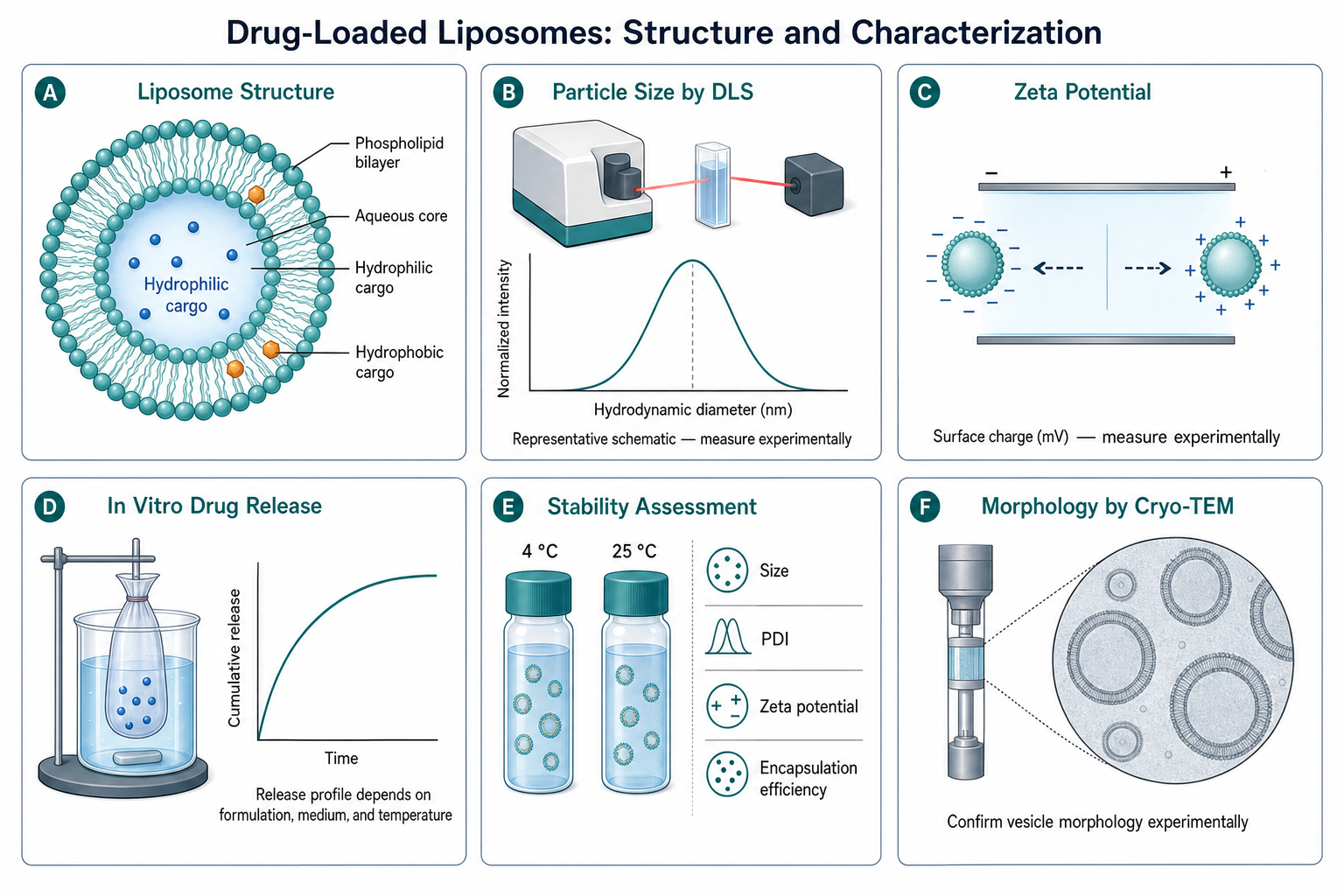
Try the same figure here, then compare it with SciDraw
Send this example or describe your own figure. The result opens on a canvas where you mark any detail and say what to change.
5 free figures for new accounts, no card. Downloads have no watermark.
SciDraw vs Scientific Figure Generator: feature comparison
SciDraw details come from its public pages as checked October 12, 2026; follow the source links for current terms. SciDraw is a separate company.
| Decision point | Scientific Figure Generator | SciDraw |
|---|---|---|
| Core focus | AI scientific illustrations you refine by chat on an infinite canvas. | AI illustrations from text, sketches, or reference images, plus data charts from CSV or Excel files. Source |
| Editing | Circle any region on the canvas and describe the change; the rest of the figure stays as it is. Edit text, split layers, and remove backgrounds or objects. Every edit becomes a connected version, and the original is kept. | Multi-round conversation; labels, colors, and layout can be changed in the exported SVG or PPTX, including in Illustrator, Inkscape, Figma, or PowerPoint. Source |
| Before generating | With the default review setting, the agent shows its plan and the credit cost before anything is generated. Credits are deducted only for successful results. | Not described on its homepage. |
| Export | PNG at 1K or 2K, with no watermark; downloads are included. A 2× upscale (2K to 4K) is available for print. PowerPoint export with editable text labels is in beta (shapes stay as one picture); editable SVG is not available. | Illustrations as SVG, PPTX, or PNG; charts as PNG, PDF, EPS, or TIFF, plus matplotlib/seaborn code. Source |
| Free access | New verified accounts receive 5 free figures (30 credits at signup, 20 the next day), then a daily top-up to 10 credits (one 1K figure). | 10 credits on registration plus 5 credits each day. Source |
| Paid plans | New verified accounts receive 5 free figures (30 credits at signup, 20 the next day), then accounts without a subscription are topped up to 10 credits each day. A 1K generation or edit uses 10 credits and a 2K result uses 20. Plans start at $9.90/month for 200 credits; one-time packs start at $9.90 for 150 credits. | Standard $10/month billed yearly ($120) for 300 credits/month (about 60 images); Premium $20/month billed yearly for 800 credits; Enterprise $40/month billed yearly for 2,000 credits. Source |
| Journal styling | Styles and templates; journal-specific presets are not offered. | Chart presets for Nature, Science, Cell, PLOS, and ACS with colorblind-safe palettes. Source |
Which one fits your figure?
Choose SciDraw if
- You need editable SVG or PPTX output to finish the figure in Illustrator or PowerPoint.
- You want publication charts drawn from a CSV or Excel file.
- You want journal-specific chart styling.
Choose Scientific Figure Generator if
- You want to fix one label, arrow, or color without regenerating the whole figure.
- You want every version kept on a canvas so you can compare directions.
- You want to approve the plan and the credit cost before anything is generated.
Questions
Written by the SFG team. Reviewed October 12, 2026.
- Is Scientific Figure Generator a good SciDraw alternative?
- For illustrations you refine step by step, yes: you can circle a region and describe the change while the rest of the figure stays the same, and each edit is kept as a version. For editable SVG or PPTX files or data charts, SciDraw covers needs that SFG does not yet.
- Can I export SVG from Scientific Figure Generator?
- Not yet. SFG exports PNG at 1K or 2K with no watermark, plus a beta PowerPoint export where the labels are editable text boxes over the figure. If you need fully editable vector files, SciDraw offers SVG and PPTX export.
- How much does a figure cost in each tool?
- In SFG a 1K generation or edit uses 10 credits and a 2K result uses 20; new verified accounts receive 5 free figures (50 credits over two days), plus a daily top-up to 10 credits. SciDraw lists about 60 images for its 300-credit Standard plan, which is $10/month billed yearly, as checked October 12, 2026.
More comparisons
- Scientific Figure Generator vs BioRender
- Scientific Figure Generator vs FigureLabs
- Scientific Figure Generator vs ConceptViz
- Scientific Figure Generator vs Paper Banana
- Scientific Figure Generator vs Mind the Graph
Visit sci-draw.com for SciDraw’s current features and prices. AI-generated figures need review before publication: see the publication checklist and how to cite and disclose AI figures.